C4D Mat-Tiler
C4D Mat-Tiler
Product Overview & Purpose
Mat-Tiler is a command plugin included with the SkyBlox plugin. It allows the user to select a material and change it’s tiling across the complete document. It is designed to modify the tiling settings in texture tags when new textures of different sizes are loaded. It loops through all texture tags, which are connected with this material and adjusts its tiling proportionally depending on the new value. Especially with buildings where many objects often use the same material, the user would have to manually adjust the tiling in every texture tag — for instance, when loading a new tileable texture into the material.
Mat-Tiler can therefore be used not only in conjunction with Skyblox.
Currently, this only works if the building has been converted into polygon objects using “Make Editable” command. Following the Early Bird campaign, 3Deoskill plans to implement this functionality for Skyblox’s procedural mode in a future update.
2. Installation
Installation takes place automatically when the Skyblox plugin is installed.
3. Steps
- Select a material in the Material Manager
- Call the Mat-Tiler command
4. Mat Tiler Plugin Interface
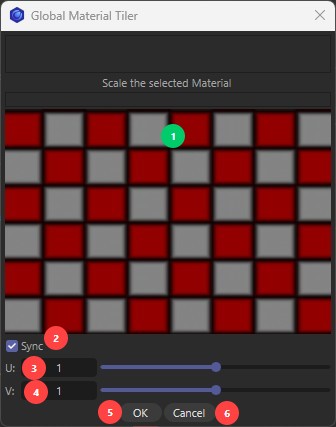
- This preview is intended to provide the user with a visual response regarding the tiling change.
- Sync: When this checkbox is active, U and V values change synchronously”
- U Tiling in the Texture-Tag
- V Tiling in the Texture-Tag
- Ok Button: Executes the command
- Cancel Button or X: Aborts the command
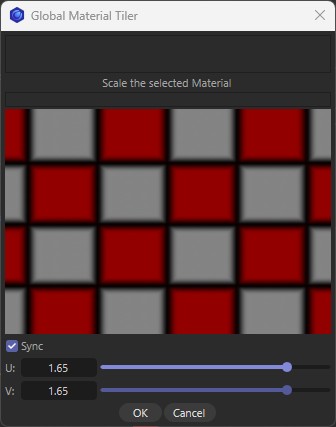
Let’s assume Texture Tag 1 has a tiling of 65(U) x 65(V) and Texture Tag 2 has 89(U) x 89(V). If you then set a factor of 1.65 in the Mat-tiler plugin, for example, the tiling for both Texture Tag 1 and Texture Tag 2 is increased proportionally by that factor of 1.8. Consequently, the proportions and the size difference between Texture Tag 1 and Texture Tag 2 are preserved.